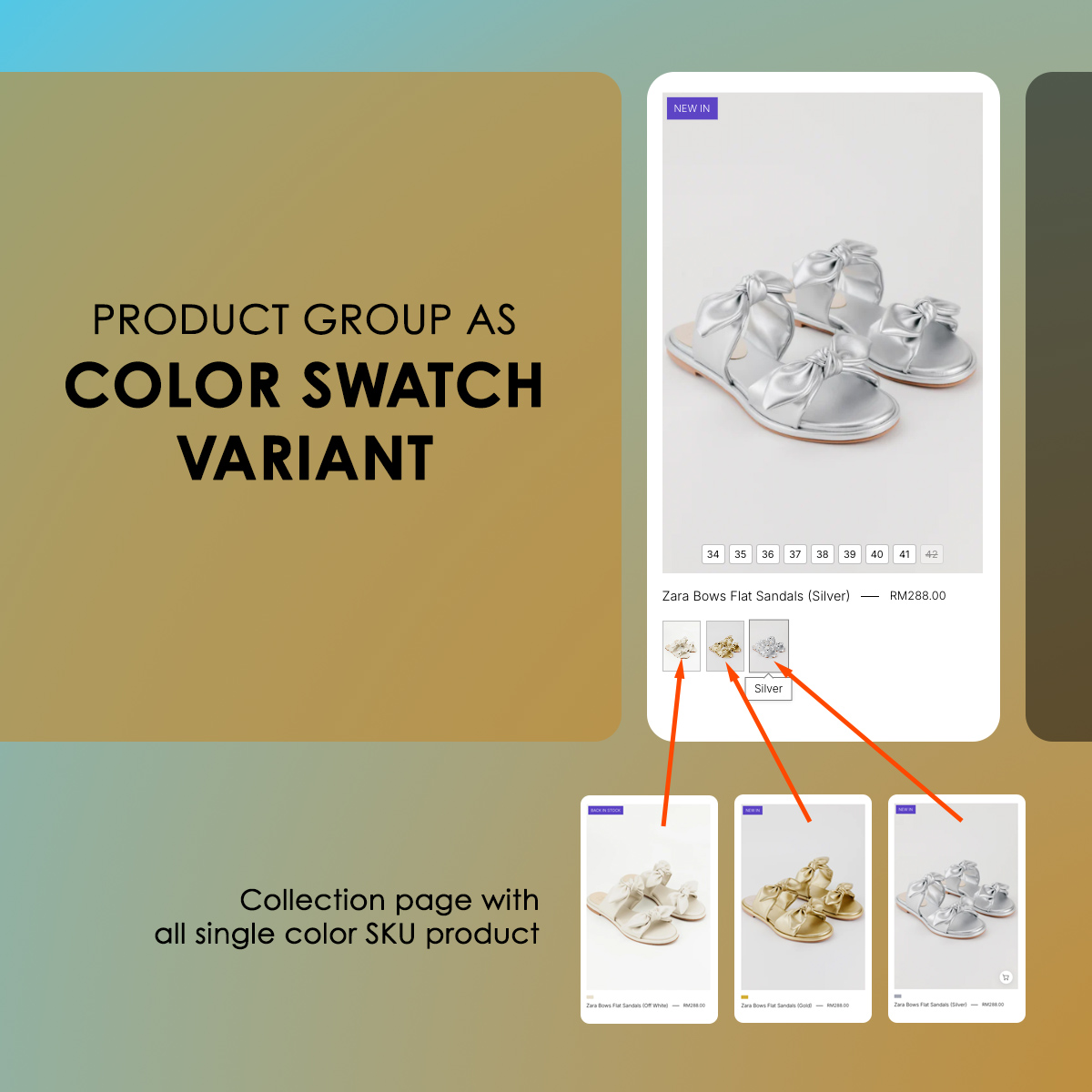
At Shopjedi, we believe that the best eCommerce experiences feel effortless — especially when a store carries many SKUs and variations. Recently, we completed a front-end development enhancement for NelissaHilman.com, focusing on transforming how customers browse color options across their footwear collections.
This project focused on a highly requested UX improvement:
showing accurate color swatches on both the product grid and product page, powered entirely by metafields — without using any additional apps.
The Challenge
Nelissa Hilman has a wide range of products, each available in multiple colors and materials. However, the default Shopify setup doesn’t support grouping different SKUs into unified swatches unless they are variant options within the same product.
Their catalog structure uses separate products for each color/SKU.
This created a few key limitations:
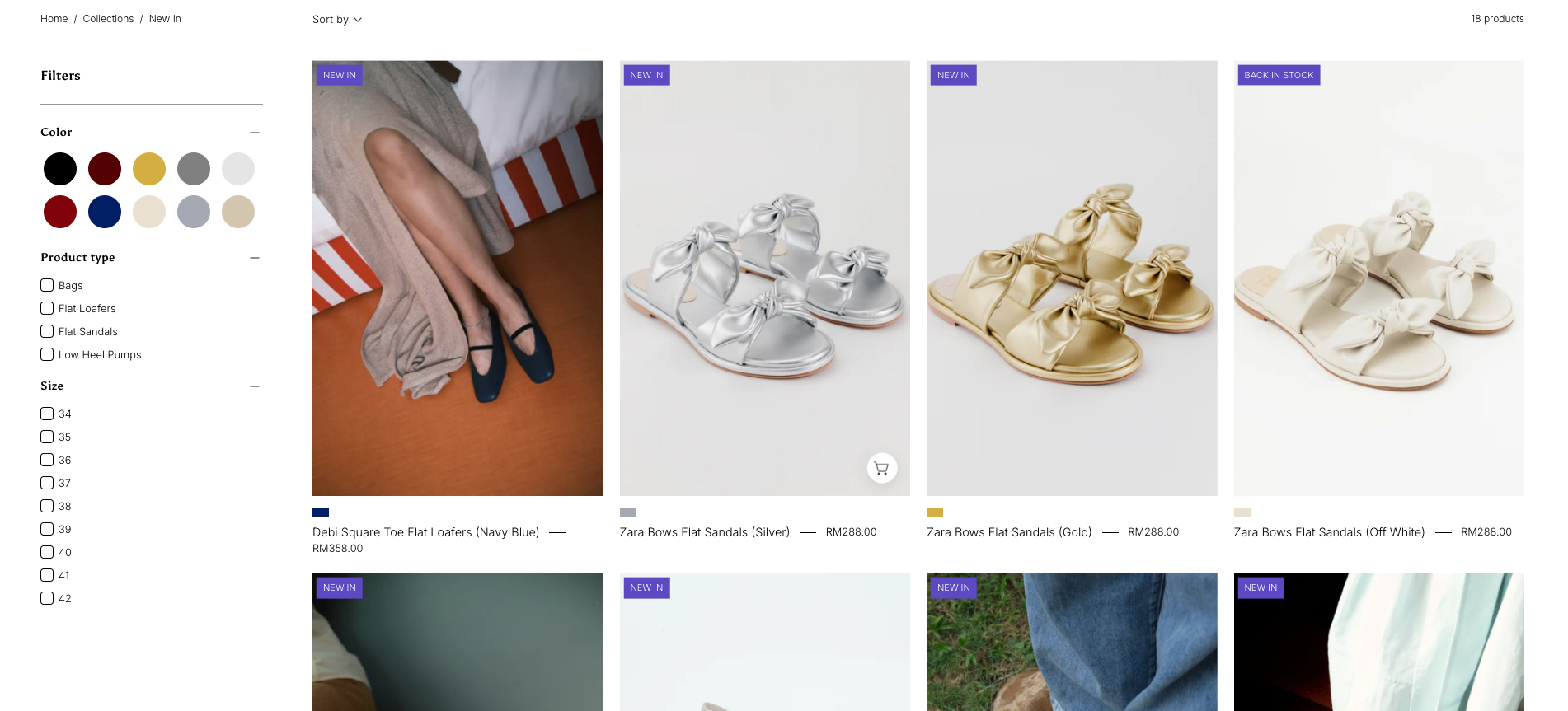
- Customers could not see all available colors directly on the product grid
- Switching colors required navigating to a different product page
- Maintaining consistency was time-consuming for the merchandising team
- Apps that provide swatch grouping often add bloat, slow down the site, or lack flexibility
They needed a lightweight, app-free, scalable solution that gives full control to their team.
Our Solution: A Fully Custom Swatch Grouping System Using Shopify Metafields
Instead of relying on paid apps, we engineered a custom solution directly inside the theme using Shopify Metafields and Liquid logic.
What We Built
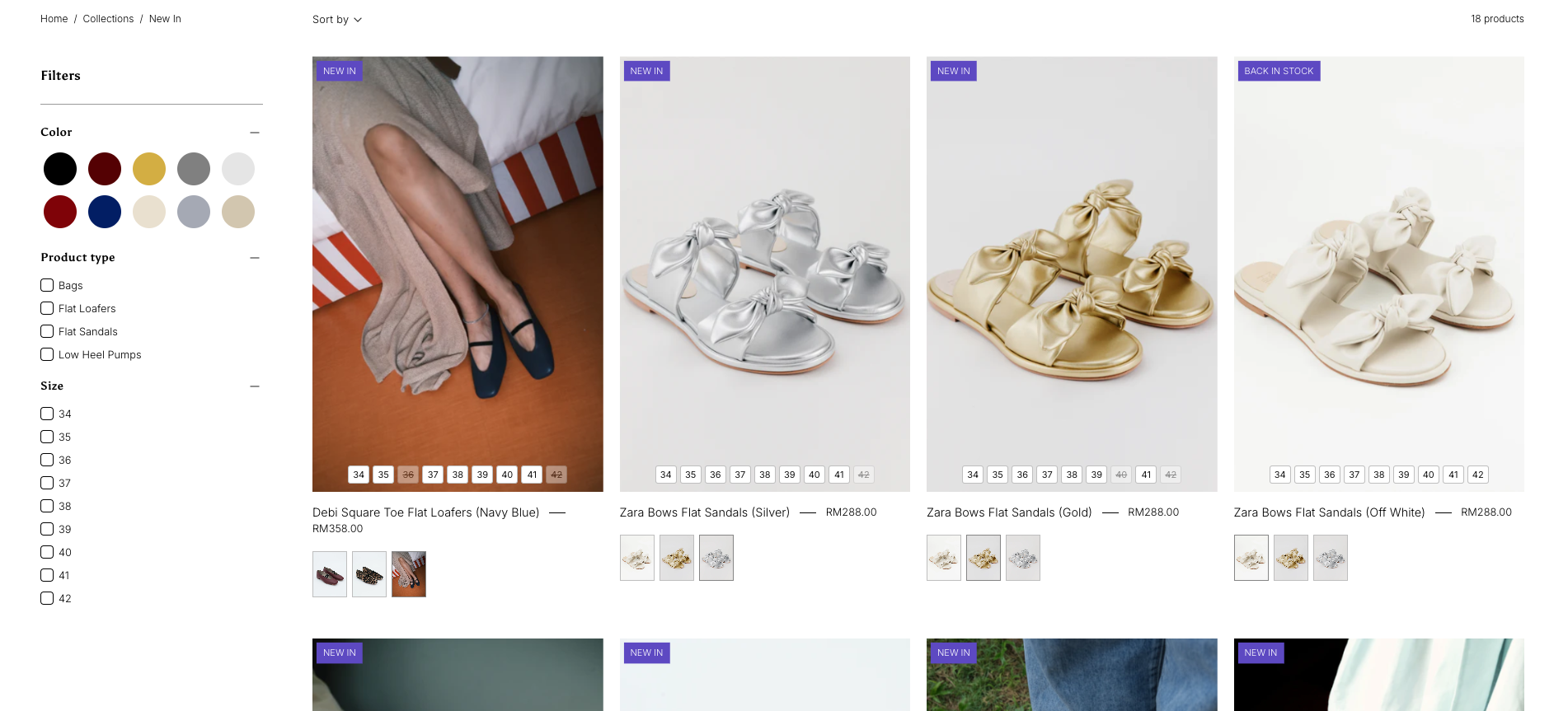
- Color swatch grouping on collection grid
Each product now displays all color options that belong to the same “style family” — even if those options exist as separate products in Shopify. - Dynamic swatch behavior on product pages
Customers can preview and switch to other color SKUs seamlessly via clickable swatches. - Metafield-driven logic
Swatches and groupings are controlled entirely from the Shopify admin, keeping the design flexible and easy to maintain. - Zero app dependency
No external scripts, no monthly fees, no performance risk.
How Our Smart Swatch System Works
Our custom swatch logic for NelissaHilman.com is designed to be both flexible for the merchant to do the setting and fully automated on the frontend.
The system combines manual grouping control with automatic color label and swatch image detection, meaning the merchant decides which products belong together — and our code will handles everything else.
1. Merchant Manually Assigns the Product Group (via Metafield)
The only manual step required is selecting which products belong to the same style family using a simple metafield.
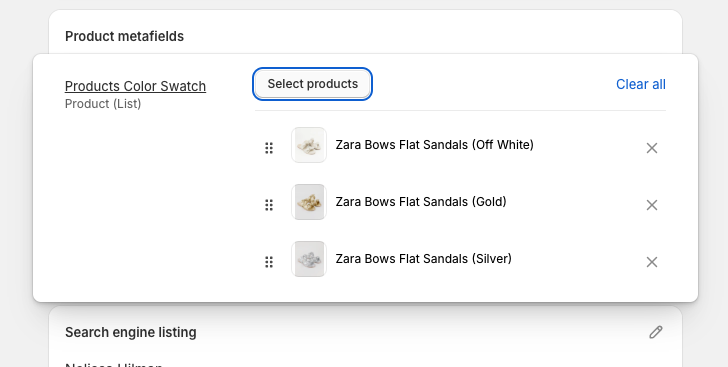
By assigning those related color versions of the same shoe model into the product metafield, the merchant tells the system:
“These products are the same style in different colors.”
This ensures full control without relying on apps or rigid variant structures.
2. Automatic Color Name Detection
Once the group is assigned, our code automatically determines the correct color label for each product.
✔️ If the product uses variant color names
We read the variant option (e.g., “Black”, “Blush Pink”, “Olive”).
✔️ If no variant color exists
We intelligently extract the color name from the product title — specifically anything inside brackets:
Examples:
- Amanda Heels (Black) → gets “Black”
- Loe Flats (Olive) → gets “Olive”
- Celine Sandals (Nude Beige) → gets “Nude Beige”
This ensures color naming stays consistent even across products with different structures.
No extra metafields.
No manual typing.
All automatic.
3. Automatic Swatch Image Selection (Smart Priority)
For each grouped product, the theme automatically picks the most accurate visual swatch.
Priority order:
1️⃣ Variant image
If the variant has a color-specific image, we use that.
2️⃣ Product featured/media image
If no variant image exists, we fall back to the product’s default image.
3️⃣ No solid color blocks
We intentionally avoid using flat color hex codes because fashion products require true material texture to reflect leather, suede, satin, etc.
This creates a more premium and realistic browsing experience.
4. Zero App Dependency – Everything Runs Natively in the Theme
No external apps required.
No extra scripts.
No additional loading time.
Everything is baked directly into the theme using:
- Liquid
- Metafields
- Lightweight JavaScript
The result is fast, stable, and fully customizable.
What This Means for the Merchant
Minimal maintenance
Only assign grouped products once.
Automatic swatches forever
Every time a new color version is added:
→ Assign it to the same group
→ The theme detects color + image automatically
→ Swatches update on both collection grid and product page
Lower cost
No app subscription fees.
No custom dashboard.
No merchant training needed.